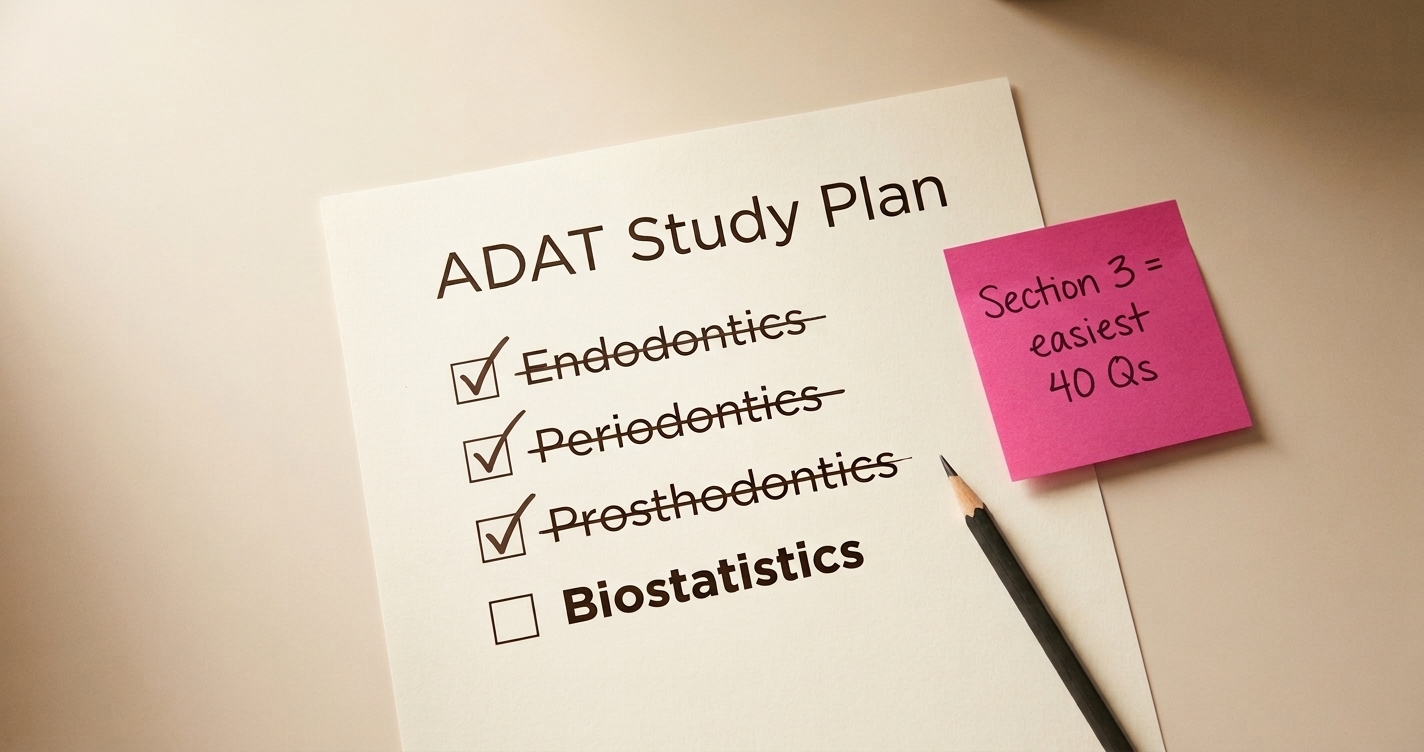

We kept seeing the same posts on Student Doctor Network. "Looking for INBDE study partner." "Anyone want to form a study group?" That thread has 38 responses — dental students posting emails and phone numbers trying to coordinate, with no formal group emerging.
The pattern repeats everywhere. Reddit threads asking for accountability partners. WhatsApp groups that start strong and go silent by week three. Discord servers where nobody can agree on when to meet.
Everyone knows study groups work. The problem is logistics. You're juggling clinic hours, different time zones if you're connecting with students from other schools, and the mental overhead of figuring out what to study together. By the time you've coordinated all that, you could have just done another solo practice set.
So we built study groups directly into QuizOdontist — with the structure already in place.
Why Study Groups Matter
A 2024 study in BMC Psychology tracked how peer relationships affect academic outcomes. The findings: students who studied together showed significantly better grades, with learning motivation accounting for nearly 60% of that effect. Studying with others isn't a distraction — it's the multiplier.
Dental student burnout is well-documented. A 2025 PMC study described it as "emotional exhaustion, depersonalization, and diminished personal accomplishment." Board prep amplifies all of that — months of solo grinding with no external feedback on whether you're actually improving.
Study groups solve two problems at once. First, accountability: when there's a challenge waiting and your classmates can see whether you showed up, you show up. Second, perspective: when you bomb a topic and see your whole group also struggled, you realize it's just hard material — not a personal failure.
Private vs. Open Groups
You can create two types of groups:
Private groups are invite-only. You share a code with specific people — your D3 classmates, your study pod, friends from another school. Nobody else can find or join the group. This is what most people want: a small, trusted circle where you're comfortable seeing each other's scores.
Private groups work well for:
- Exam cohorts — "INBDE January 2026" or "Spring Warriors" for people taking the same exam window
- Study pods — 4-6 classmates who already study together in person
- Subject deep-dives — "Endo Masters" or "Perio Perfectionists" for focused topic review
- School-based groups — Your D3 or D4 class at a specific dental school
- Accountability partners — Even 2-3 people who want to keep each other honest
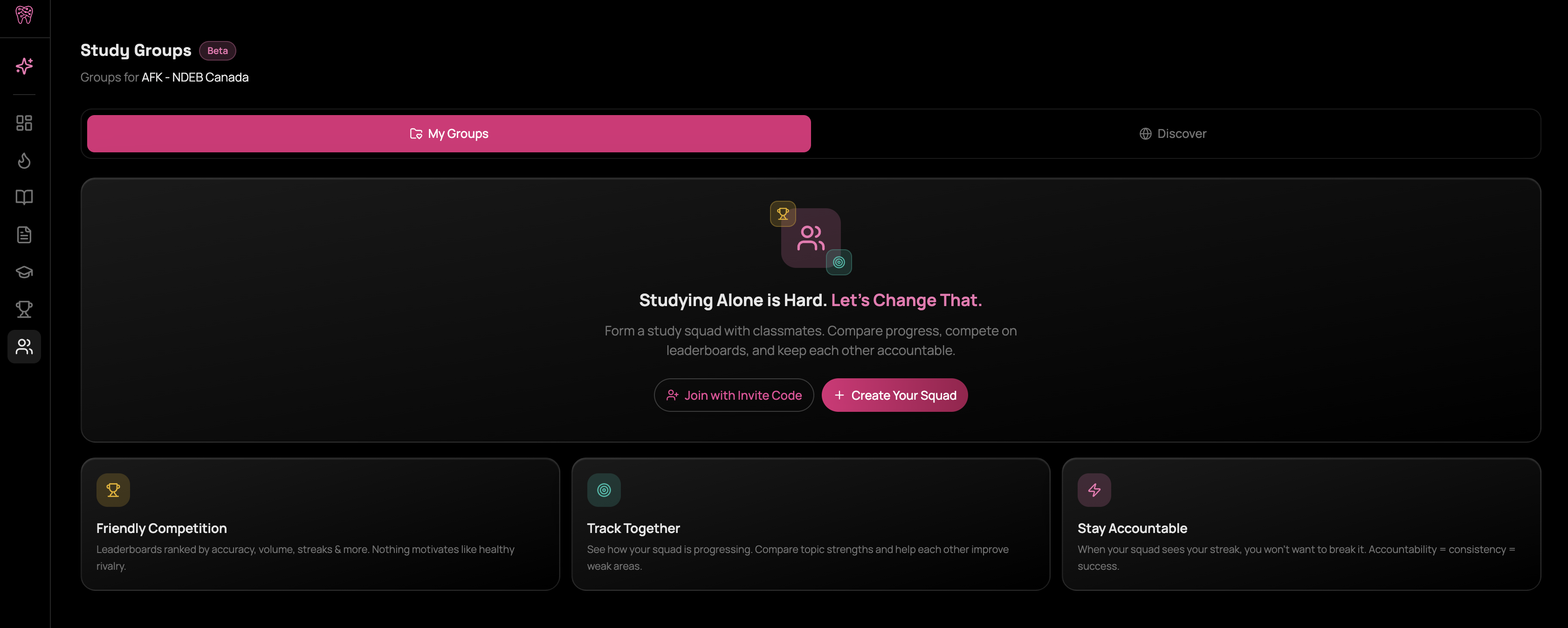
Open groups are discoverable in the Discover tab. Anyone on QuizOdontist can browse and join them. We've seeded community groups for INBDE 2026, INBDE 2027, AFK 2026, and ADAT — these are for students who don't have classmates on the platform yet or want to practice with a wider pool.
Open groups work well for:
- Exam year communities — All INBDE 2026 takers, regardless of school
- Cross-school networking — Meet students from other programs
- High-volume practice — More members means more competition and activity
- Topic communities — Anyone interested in Oral Surgery or Prosthodontics
Most users start with a private group of 5-10 classmates. If you want more volume or variety, join an open community group as a second group.
Creating a Study Group
From the dashboard, tap Study Groups in the sidebar. You'll see any groups you're already part of, plus the option to create a new one.
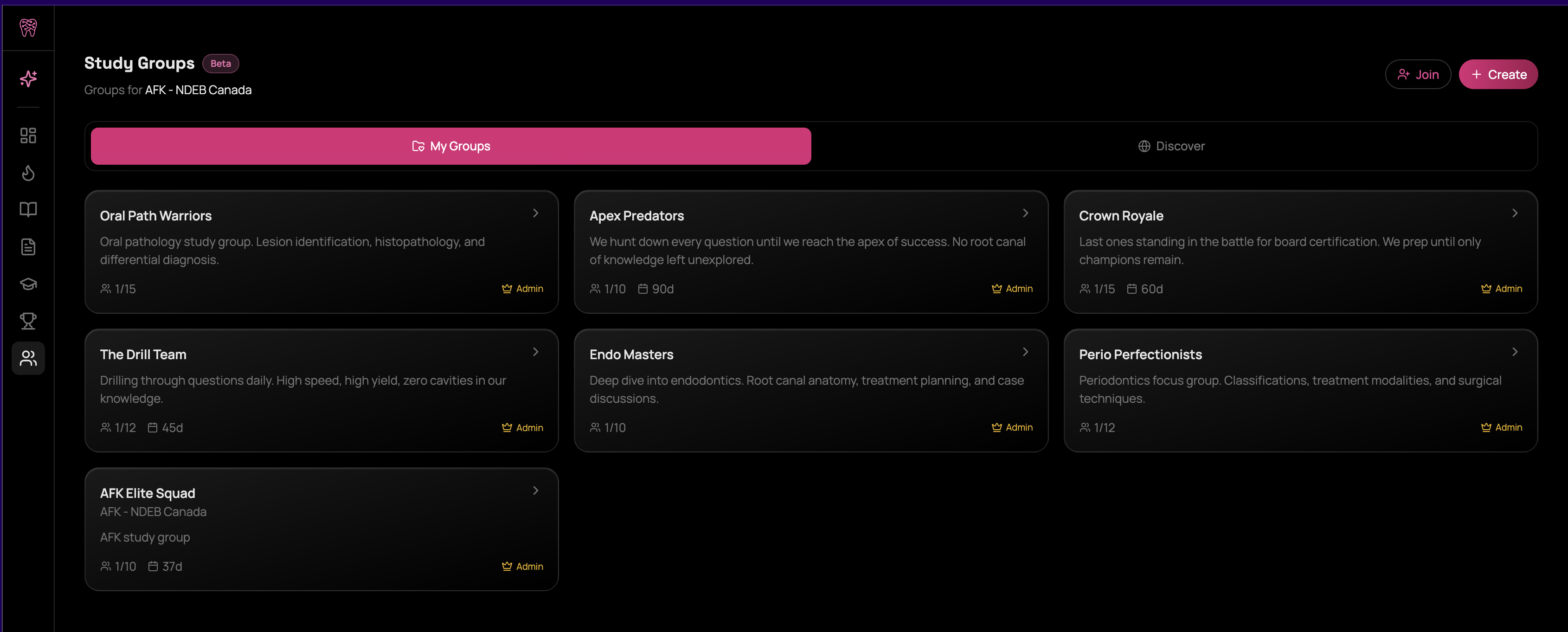
Tap Create Group. You'll set:
- Group name — "D3 Class of 2027" or "INBDE Grinders" or whatever fits
- Description — What's your group's focus? Goals? Optional but helpful for context
- Target exam date — When are you taking the exam? Helps keep everyone aligned
- Visibility — Private (invite-only) or Open (discoverable by others)
- Max members — 5, 10, 20, or 50
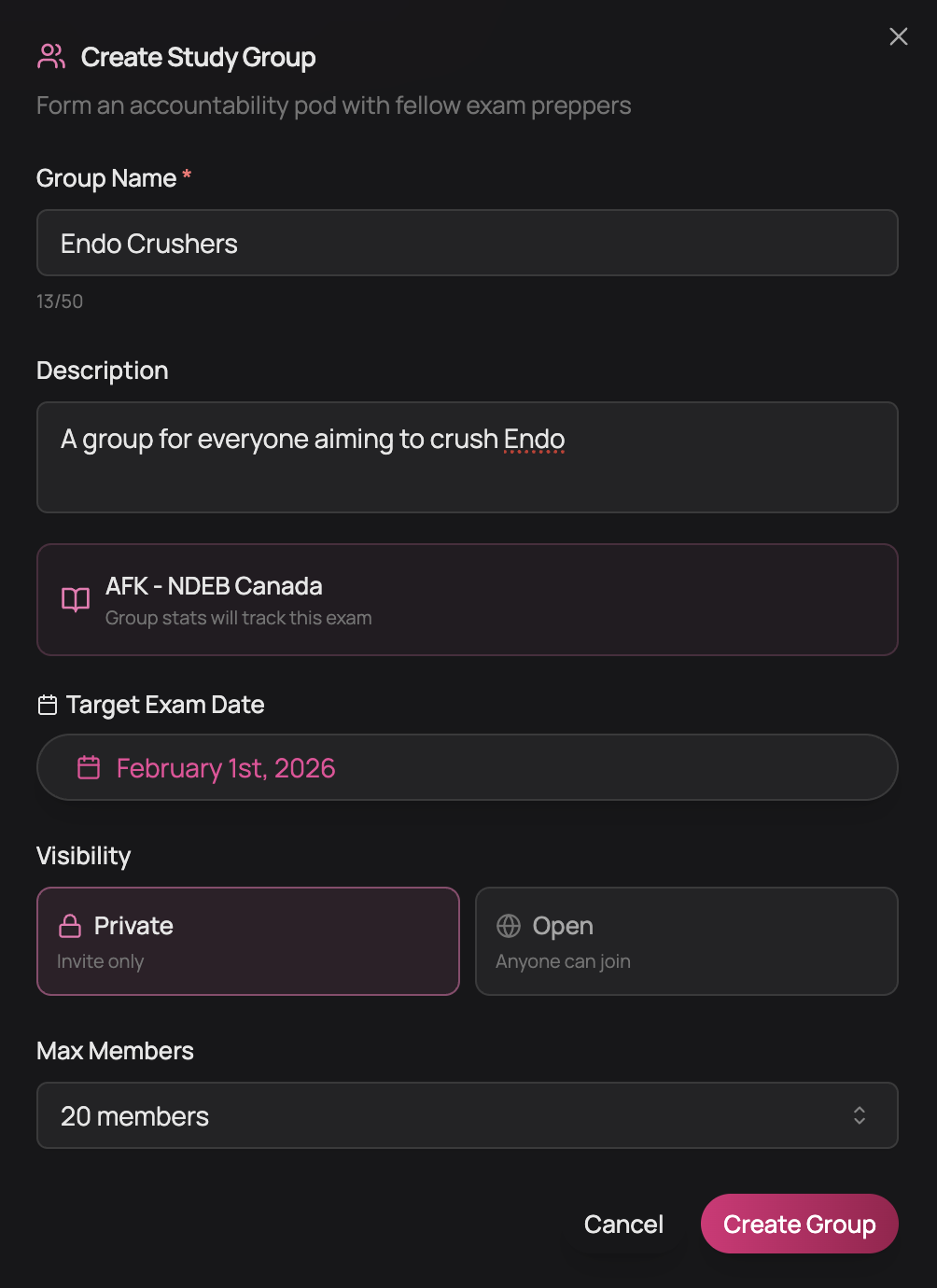
Once created, you'll get an invite code and shareable link. Send it to your classmates on GroupMe, WhatsApp, or wherever you coordinate.
Joining an Existing Group
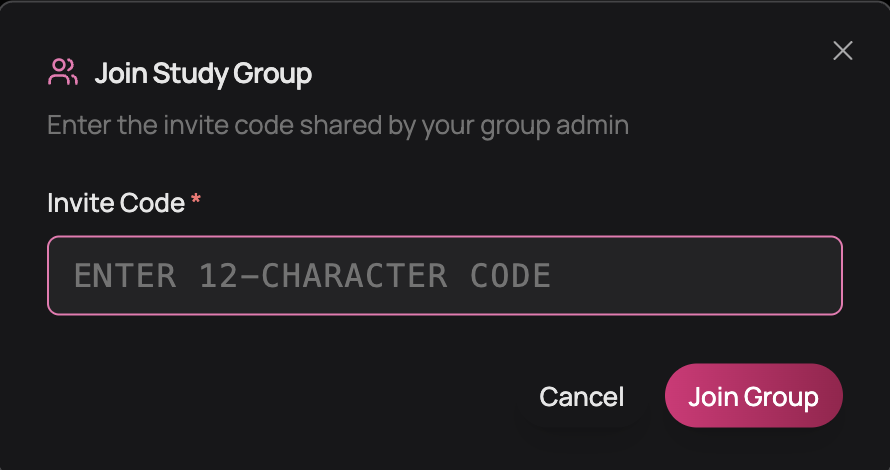
If someone shared a group link or invite code with you, enter the code in the Join Group dialog.
You can also browse open groups from the Discover tab — we've seeded community groups for INBDE 2026, INBDE 2027, AFK 2026, and ADAT if you want to practice with students outside your school.
Launching a Challenge
Group admins with a QuizOdontist subscription can create challenges. From inside your group, tap New Challenge.
You'll configure:
- Title — Name the challenge (e.g., "Week 3 Pharm Review")
- Topic — Oral Pathology, Pharmacology, Endodontics, etc.
- Difficulty — Mixed, Easy, Medium, or Hard
- Question count — 10, 15, 20, or 25 questions
- Duration — 24 hours, 48 hours, or 1 week
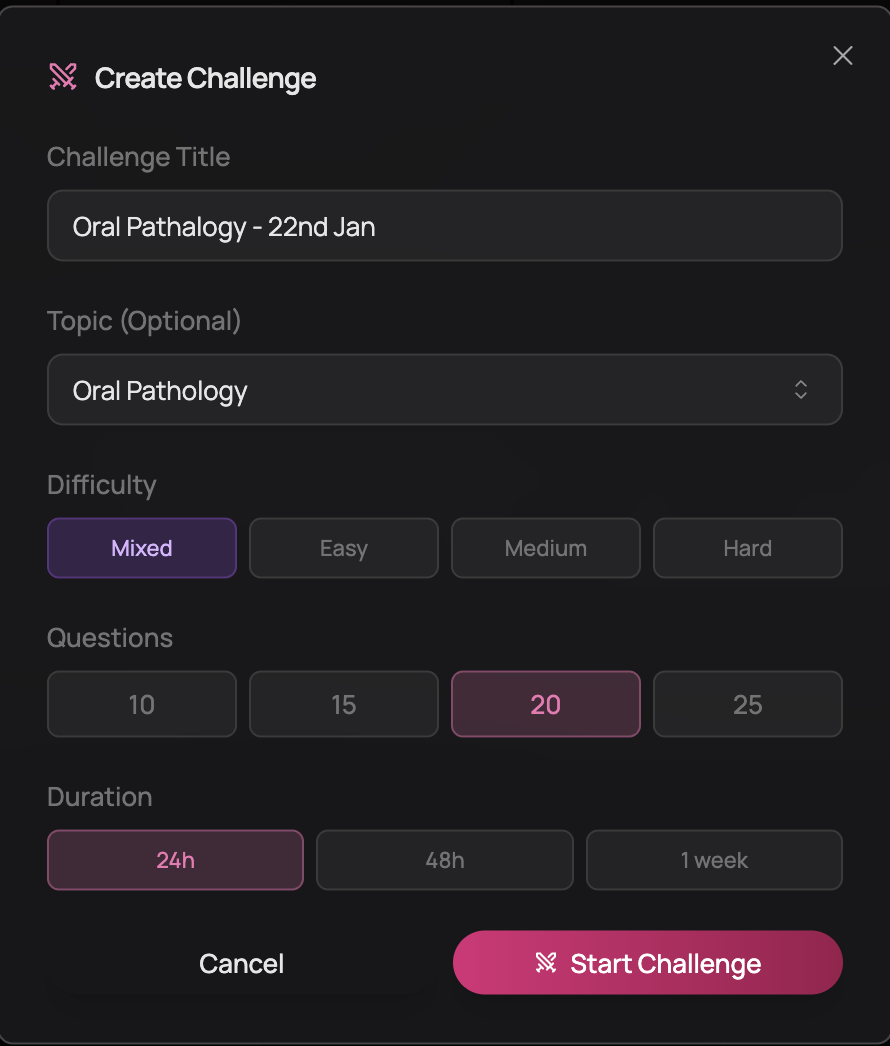
Hit Start Challenge. Everyone in the group gets a notification. Each person takes the quiz on their own time within the duration window. Same questions, same order, timed individually. Only one challenge can be active per group at a time.
The Leaderboard
There are two leaderboards in each group:
Challenge leaderboard — After you submit a challenge, you'll see your score and rank compared to others who completed that challenge. Rankings are by percentage correct.
Group leaderboard — The main leaderboard ranks all members by total activity: questions answered, quizzes completed, accuracy, and current streak. You can tap any member to see their detailed stats.
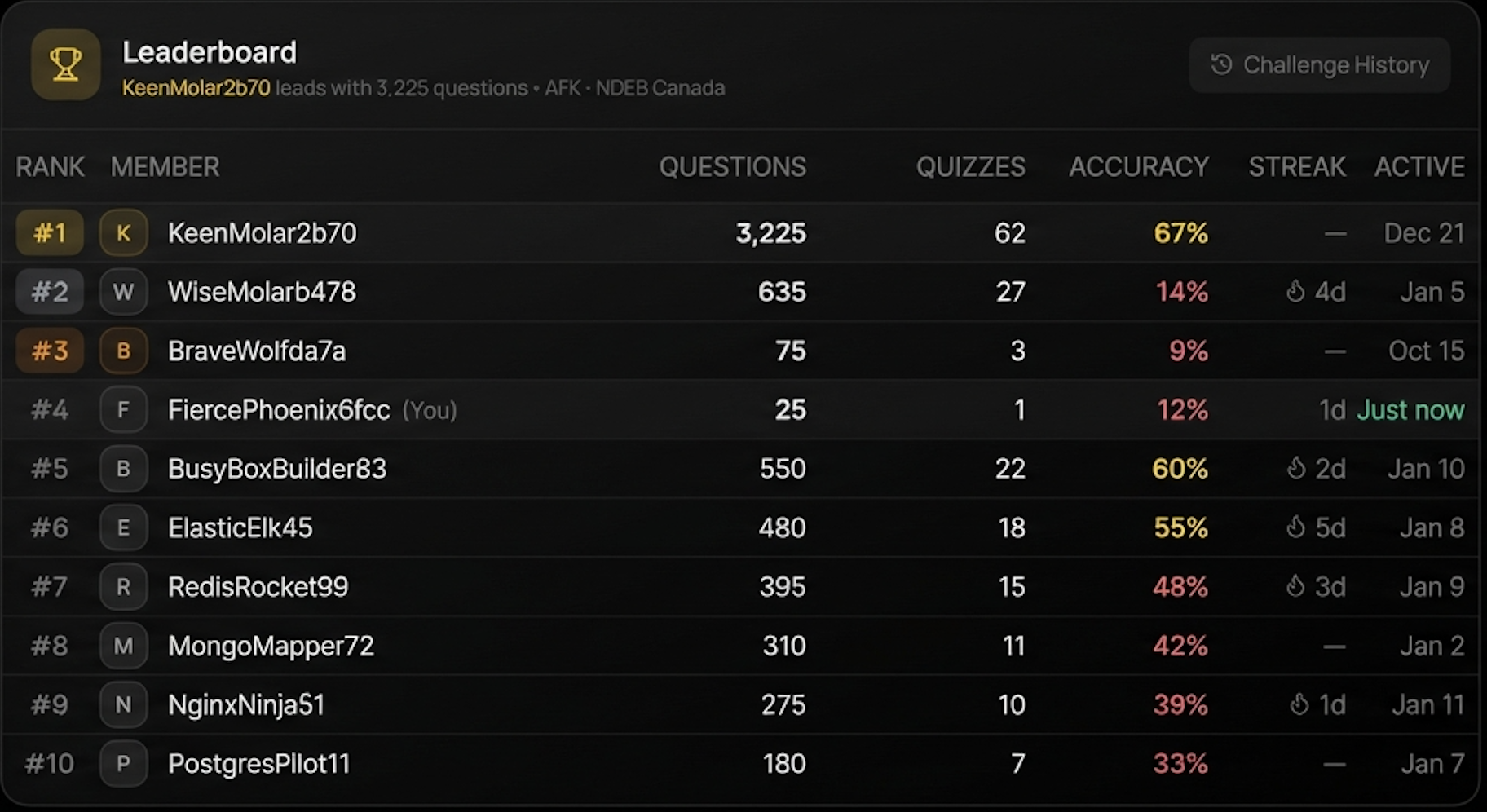
Both leaderboards update in real-time. You'll see who's done, who's still working, and where you stand.
When you can see your classmates' scores — and they can see yours — skipping practice becomes harder.
Reviewing Together
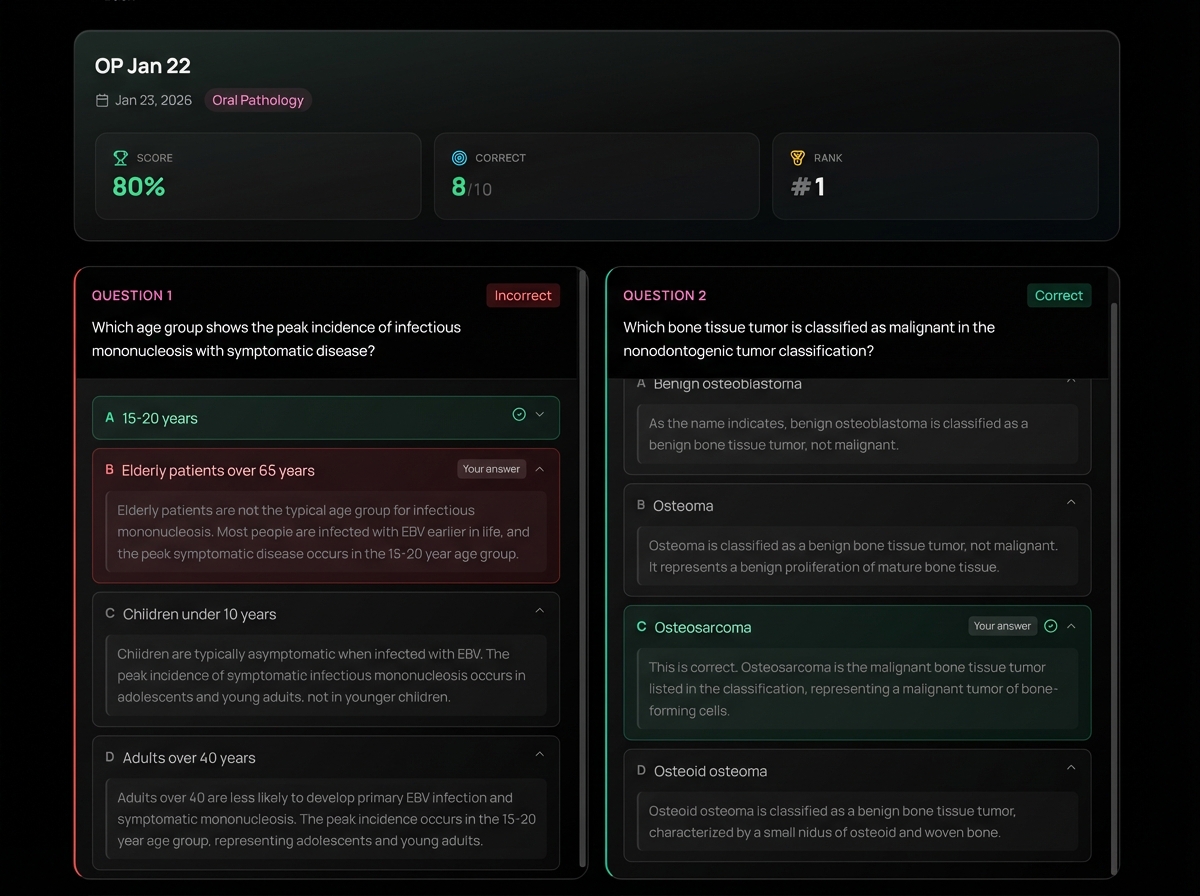
After a challenge closes, you can review all the questions. Tap Challenge History to see past challenges, then tap any challenge to review. You'll see each question, your answer, the correct answer, and a full explanation.
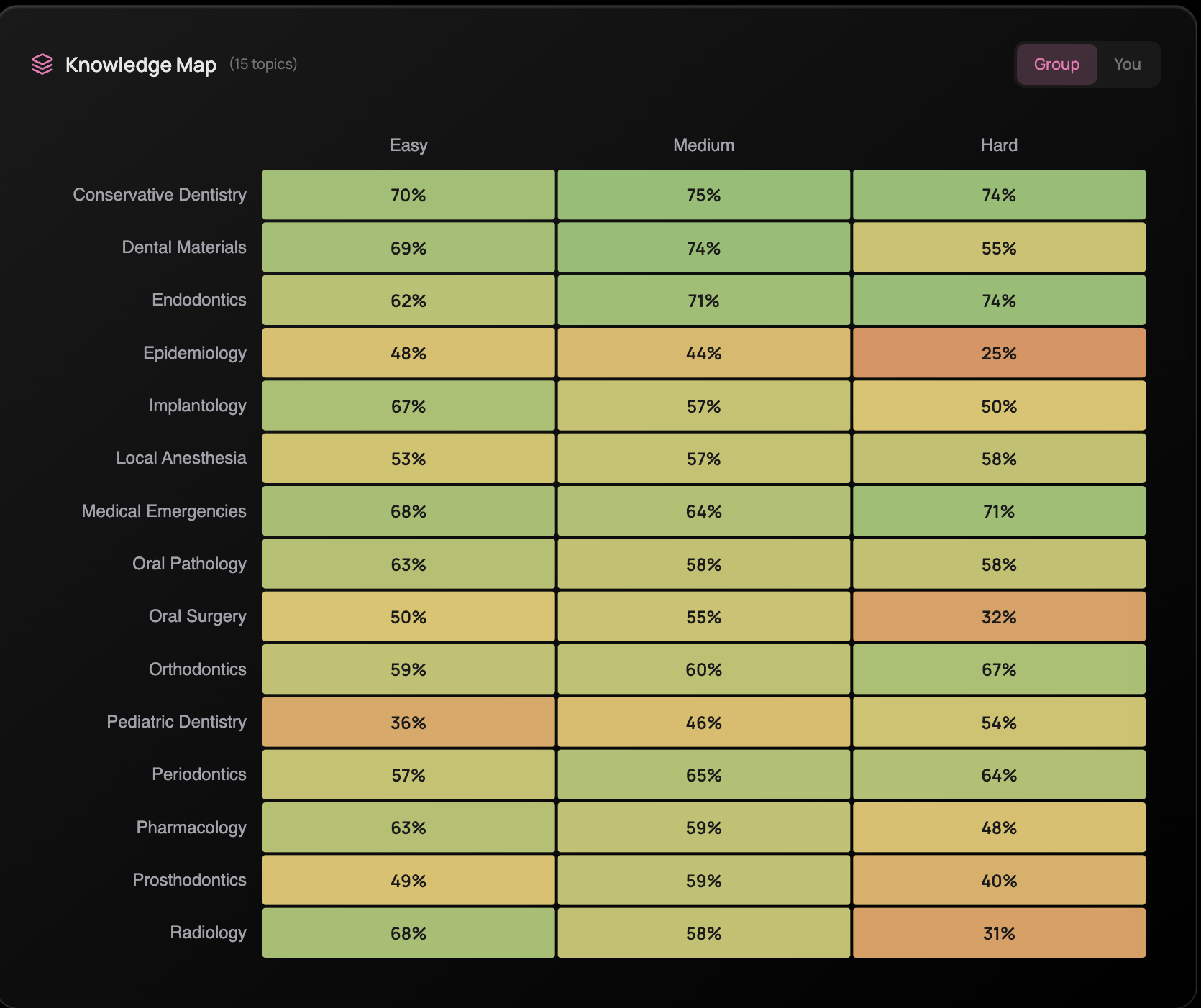
The group also has a Knowledge Map — a heatmap showing accuracy by topic and difficulty. You can toggle between your personal stats and the group average to see where everyone struggles.
This is where the real learning happens. When you're on a call with your study group and someone asks "why isn't it B?" — and you have to explain it — you actually learn it. If you can't explain it, you realize you didn't understand it in the first place.
What Makes This Work
No coordination overhead. You don't have to create a shared Google doc or figure out which Quizlet deck to use. Everyone gets the exact same questions from QuizOdontist's question bank.
Relative competition. You're competing against your study group, not 10,000 strangers. A 2024 meta-analysis found gamified leaderboards improved academic performance — and relative rankings within small groups work better than global rankings.
Built-in consistency. External accountability is stronger than internal motivation. When there's an active challenge waiting and your classmates can see whether you completed it, you complete it.
Social proof on hard topics. When you bomb a Prosthodontics challenge and then see your whole group also scored 55-65%, you realize the material is just hard. That perspective keeps you from spiraling.
Tips From Our Early Users
Groups that stuck together shared a few patterns:
- 5-10 members is the sweet spot. Small enough that everyone participates, large enough for variety.
- Weekly cadence works well. Launch a 48-hour challenge every Monday. Members complete it on their own schedule. Review together after it closes.
- Rotate who picks topics. This ensures you're covering all domains, not just what one person cares about.
- Use the Knowledge Map. Check it monthly to see which topics are dragging the whole group down. Focus challenges there.
- Set norms early. Are you doing this for accountability or fun competition? Decide upfront.
Get Started
Creating and joining groups is free for all users. Creating challenges requires a QuizOdontist subscription — but only the admin needs one. Everyone else can participate for free.
- Open QuizOdontist
- Go to Study Groups in the sidebar
- Create a group or join an existing one
- Have the admin launch your first challenge
If you don't have classmates on QuizOdontist yet, share the platform first. They need an account to join your group.